
Matplotlib Intro
Matplotlib turns data into figures with axes, labels, and plotted marks. Choose a chart from the question rather than from whichever style looks most decorative.
Understand the idea
A Figure contains the whole image, while an Axes is one plotting area. The explicit fig, ax interface makes it easier to manage several charts. A saved PNG is a useful output for a script or report; a notebook may instead display the figure inline.
Where to try it
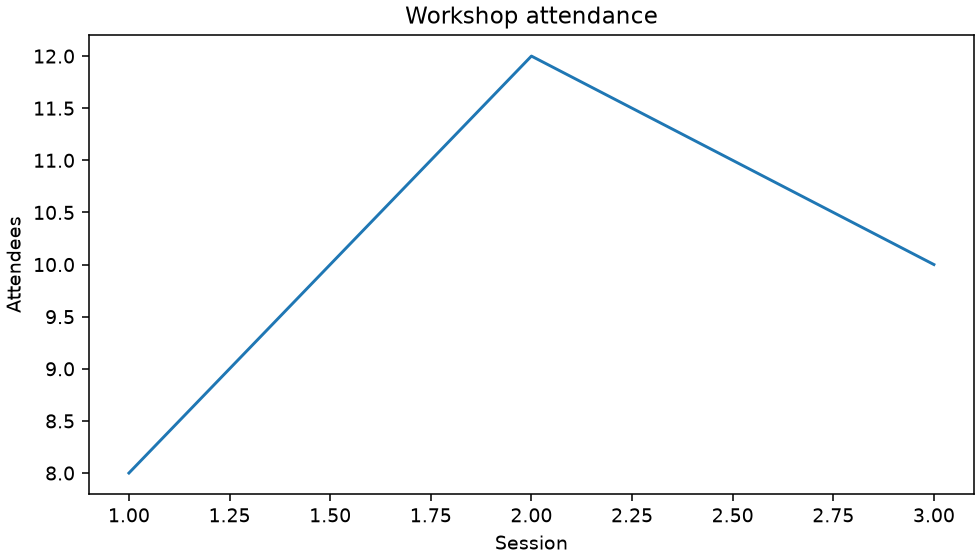
Run this complete script in a local virtual environment with Matplotlib installed (py -m pip install matplotlib). It uses a non-interactive backend and saves workshop.png in the current folder. The site shows a rendered example below; its text-only online runner does not display plot windows.
A worked example
import matplotlib
matplotlib.use("Agg")
import matplotlib.pyplot as plt
fig, ax = plt.subplots(figsize=(7, 4), layout="constrained")
ax.plot([1, 2, 3], [8, 12, 10])
ax.set(xlabel="Session", ylabel="Attendees", title="Workshop attendance")
fig.savefig("workshop.png", dpi=140)
plt.close(fig)
print("Saved workshop.png")
Read the result
A line connects three attendance observations, with a rise followed by a slight fall.
Try one change
Explain whether your x-values represent time, rank, or unrelated categories.
For package options, see the Matplotlib documentation.