
Matplotlib Labels
Labels explain the measured quantity, its units, and the population or period shown. A chart should make sense without guessing from a filename.
Understand the idea
Use a concise title and axes labels that state units. A legend names separate series rather than repeating the whole title. Keep tick text readable, and use layout management to reduce clipping. A well-labelled chart still needs a trustworthy aggregation and suitable scale; words cannot repair incorrect underlying data.
Where to try it
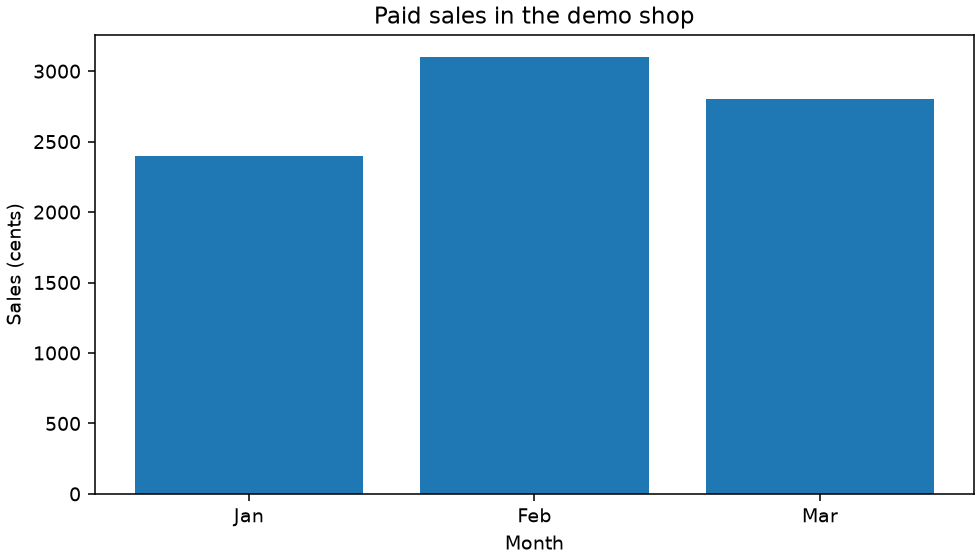
Run this complete script in a local virtual environment with Matplotlib installed (py -m pip install matplotlib). It uses a non-interactive backend and saves workshop.png in the current folder. The site shows a rendered example below; its text-only online runner does not display plot windows.
A worked example
import matplotlib
matplotlib.use("Agg")
import matplotlib.pyplot as plt
fig, ax = plt.subplots(figsize=(7, 4), layout="constrained")
ax.bar(["Jan", "Feb", "Mar"], [2400, 3100, 2800])
ax.set(title="Paid sales in the demo shop", xlabel="Month", ylabel="Sales (cents)")
fig.savefig("workshop.png", dpi=140)
plt.close(fig)
print("Saved workshop.png")
Read the result
The amount unit is explicit, preventing readers from interpreting cents as whole currency units.
Try one change
Rewrite the title and y-label for a chart of available seat counts rather than sales.
For package options, see the Matplotlib documentation.