
Scatter Plot
A scatter plot is a first look at how two numeric features vary together. Preserve the original row pairing so each point represents one observation.
Understand the idea
Visual trends can suggest a useful question, but outliers, omitted variables, and selection bias can change the interpretation. A visible association does not establish causation. The example saves a chart rather than trying to open a desktop plotting window inside the site's text-only runner.
Where to try it
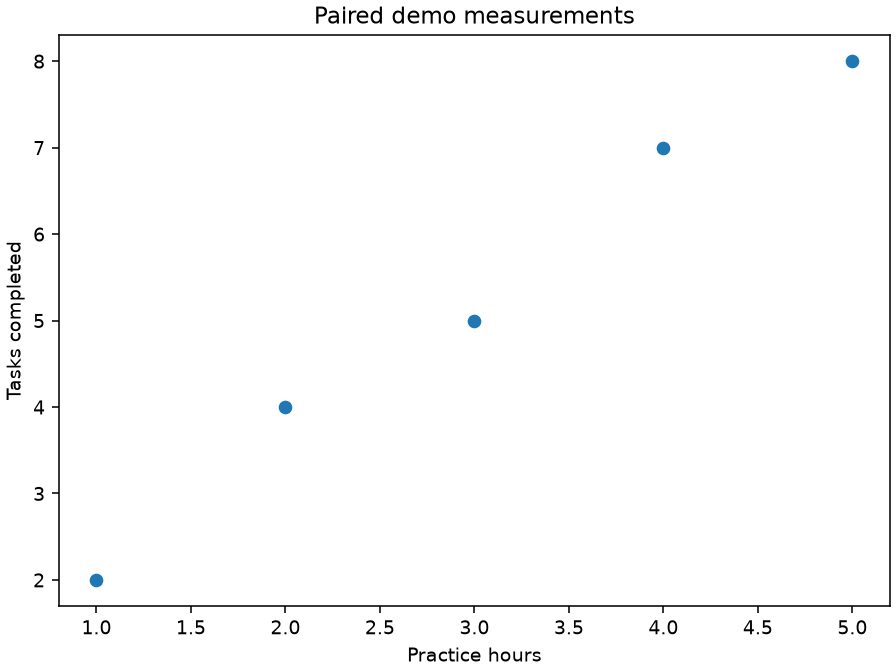
Run this complete script in a local virtual environment with Matplotlib installed (py -m pip install matplotlib). It uses a non-interactive backend and saves workshop.png in the current folder. The site shows a rendered example below; its text-only online runner does not display plot windows.
A worked example
import matplotlib
matplotlib.use("Agg")
import matplotlib.pyplot as plt
fig, ax = plt.subplots(layout="constrained")
ax.scatter([1, 2, 3, 4, 5], [2, 4, 5, 7, 8])
ax.set(xlabel="Practice hours", ylabel="Tasks completed", title="Paired demo measurements")
fig.savefig("workshop.png", dpi=140)
plt.close(fig)
print("Saved workshop.png")
Read the result
The chart shows five paired points with a positive visual association in this synthetic example.
Try one change
Add an outlier and describe the effect on the apparent relationship.
For package options, see the scikit-learn documentation.