
Matplotlib Pyplot
pyplot offers figure creation and stateful convenience functions. Prefer explicit Figure and Axes references once a chart has several parts.
Understand the idea
plt.subplots creates both objects, and the Axes methods control that particular plotting area. This avoids accidentally drawing on whichever axes happens to be current. Close a saved figure in a long-running script so many generated charts do not accumulate unnecessary resources.
Where to try it
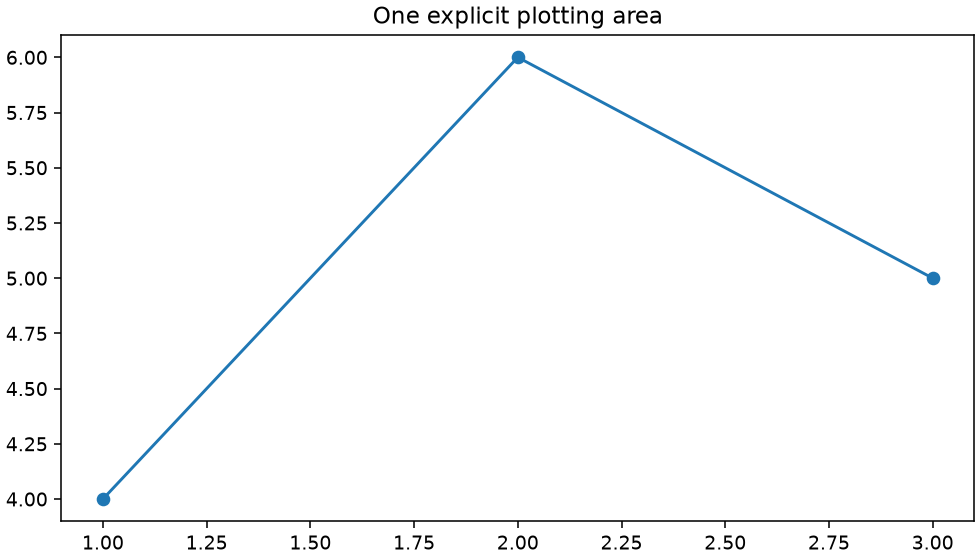
Run this complete script in a local virtual environment with Matplotlib installed (py -m pip install matplotlib). It uses a non-interactive backend and saves workshop.png in the current folder. The site shows a rendered example below; its text-only online runner does not display plot windows.
A worked example
import matplotlib
matplotlib.use("Agg")
import matplotlib.pyplot as plt
fig, ax = plt.subplots(figsize=(7, 4), layout="constrained")
ax.plot([1, 2, 3], [4, 6, 5], marker="o")
ax.set_title("One explicit plotting area")
fig.savefig("workshop.png", dpi=140)
plt.close(fig)
print("Saved workshop.png")
Read the result
The chart has three marked points on one axes. Its title belongs to that axes.
Try one change
Create a second figure and verify each series is drawn on the intended axes.
For package options, see the Matplotlib documentation.